


Live Chat Dashboard
Manage All Customer Chats in One Easy Dashboard
Centralize all your customer messages in one place with the shared inbox. Respond to inquiries, assign chats, and stay organized across your team—all from a single, easy-to-use dashboard
- Unified View – See all customer messages together, no matter the source
- Easy Assignment – Direct chats to the right team member instantly
- Stay Organized – Keep track of who’s handling which chat in real time
- Quick Responses – Reply faster and keep customers engaged and satisfied
- All-in-One Inbox
- Real-Time Updates
- Assign Chats
- Team Collaboration
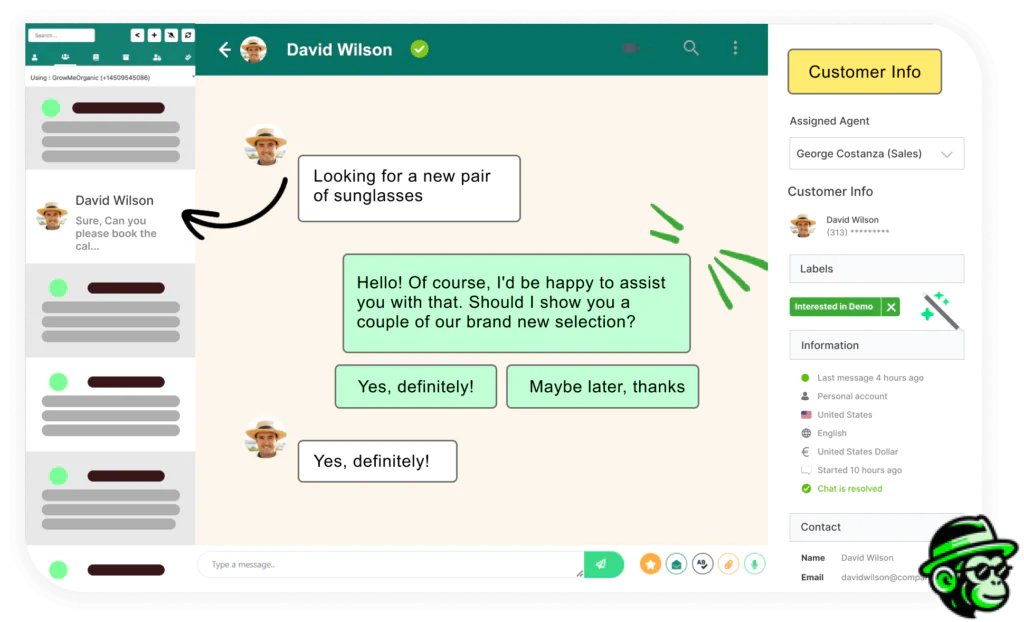
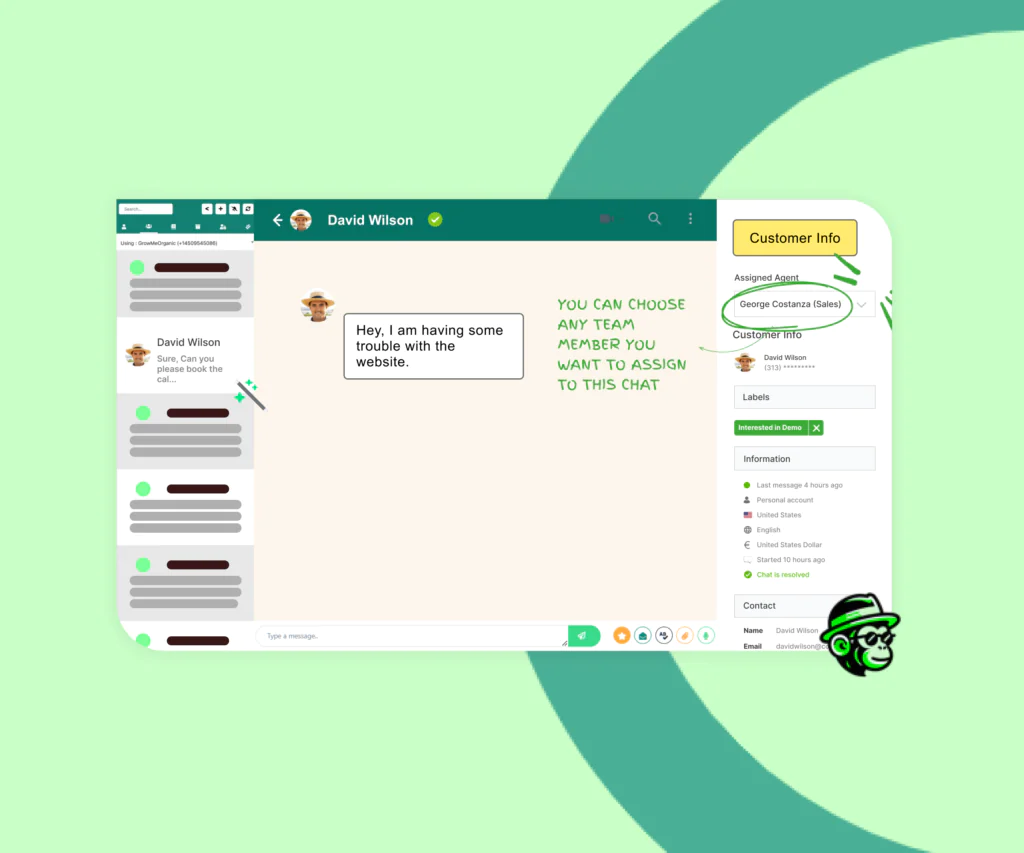
Multi-Agent Chat Assignment
Seamlessly Assign Chats to Multiple Agents
Ensure no customer message goes unanswered by assigning chats to multiple agents. Share the workload, improve response times, and provide better support by letting team members collaborate on customer conversations
- Faster Responses – Multiple agents can step in, so customers don’t wait
- Efficient Workload Sharing – Distribute chats among team members effortlessly
- Better Collaboration – Agents can work together to resolve customer inquiries
- Enhanced Support Quality – Provide timely, consistent responses for every chat
- Team Support
- Better Collaboration
- Quick Assign
- Improved Response
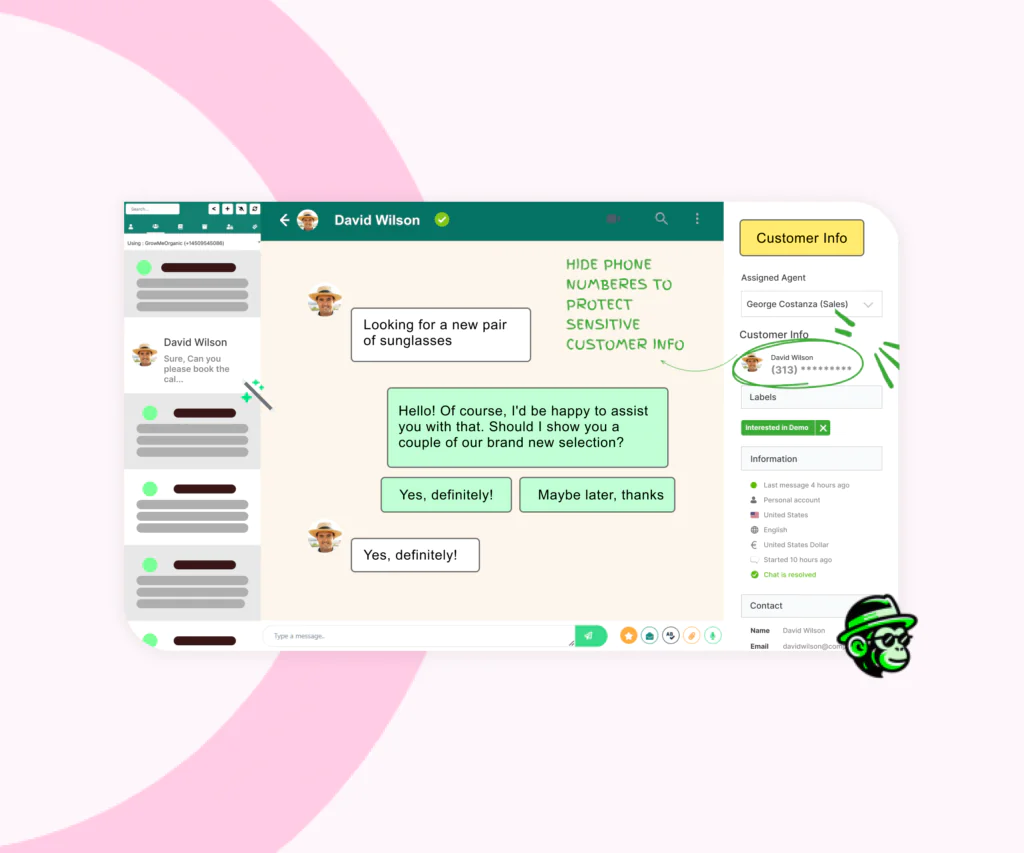
Agent Privacy Control
Protect Customer Phone Numbers from Unauthorized Access
Safeguard your customer’s contact details by masking their phone numbers. This feature keeps full numbers hidden from agents, reducing the risk of data misuse and securing customer information
- Prevent Data Leaks – Hide phone numbers to protect sensitive customer info
- Agent Access Control – Agents can assist without seeing full contact details
- Build Customer Trust – Show customers their privacy is a top priority
- Security Compliance – Keep your business aligned with data protection standards
- Mask Phone Numbers
- Prevent Data Misuse
- Control Access
- Protect Privacy
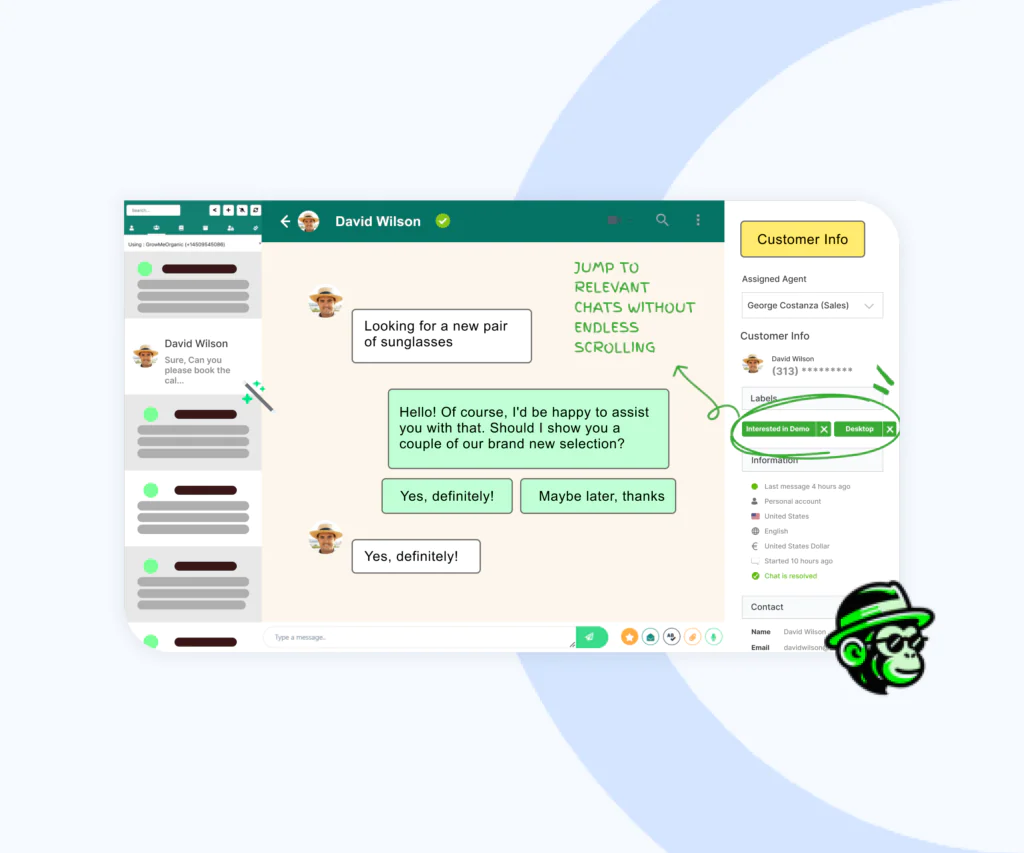
Tag-Based Chat Filtering
Find Important Chats Faster with Tags
Easily organize and filter customer chats by tags, so you can quickly access specific conversations. Whether it’s support, sales, or follow-ups, tags help you keep track of what matters most and improve team efficiency
- Organized Conversations – Tag chats by topic or customer need for easy sorting
- Faster Access – Jump to relevant chats without endless scrolling
- Improved Team Focus – Assign and locate chats based on tags for faster responses
- Enhanced Customer Service – Keep chats streamlined for a better customer experience
- Tag Chats
- Organized View
- Quick Filters
- Efficient Sorting
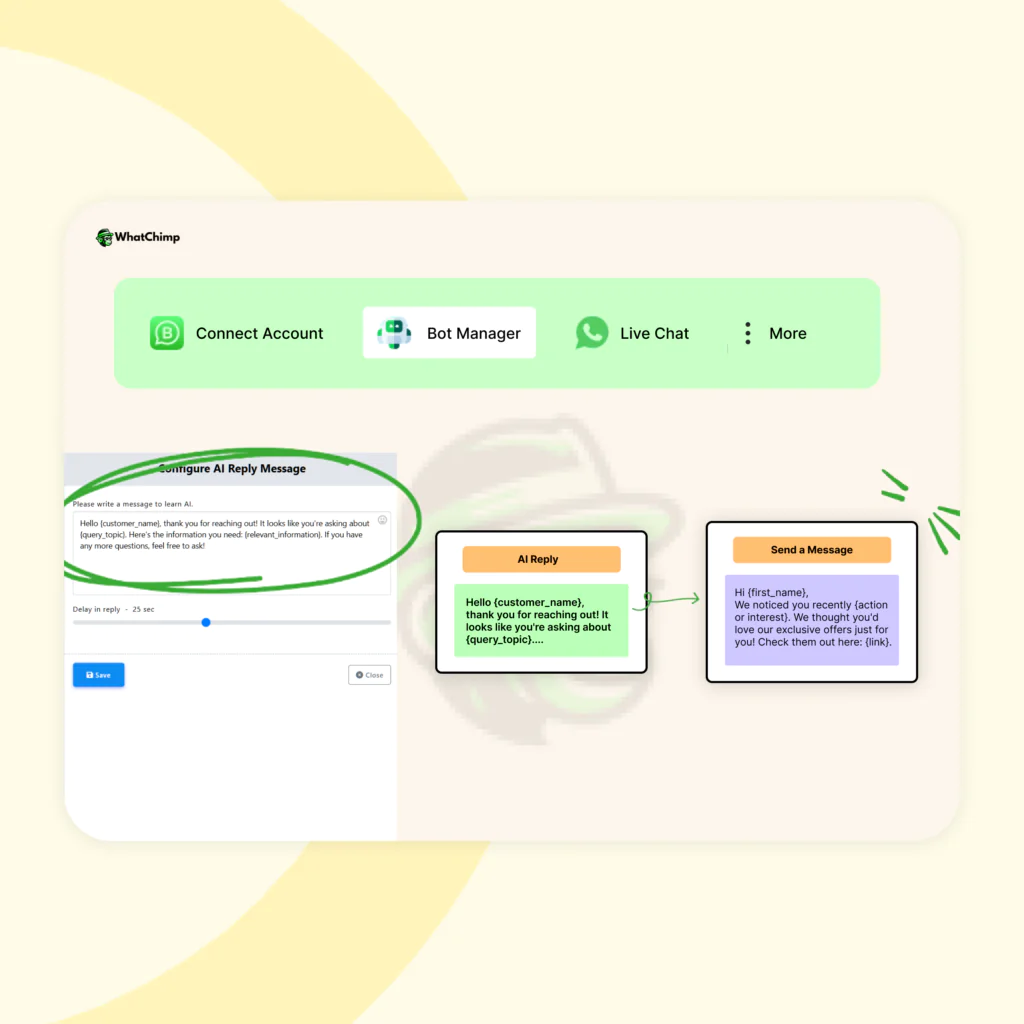
Canned Responses
Reply Faster with Pre-Saved Canned Responses
Save time and maintain consistency by using canned responses for common questions. With just a click, your team can send pre-written replies, helping customers get quick answers and freeing up time for more complex inquiries
- Instant Replies – Respond to frequently asked questions in seconds
- Consistent Messaging – Keep replies on-brand and accurate every time
- Save Time – Reduce repetitive typing for faster, more efficient support
- Better Customer Experience – Quick replies keep customers happy and informed
- Pre-Saved Replies
- Consistent Support
- Fast Responses
- Time-Saving
Unified Communication
Bring all customer message from various channel into one centralized inbox ensuring nothing is missed
Lead Generation
Use chatbots to capture and qualify leads, ensuring a steady flow of potential customers.
Automated customer Support
Provide instant responses to customer inquiries, resolving issues swiftly and improving satisfaction